
Run locally
Start PostgreSQL, run the service against Kubernetes or AWS, and open the explorer.
Run agentshield against a Kubernetes cluster with PostgreSQL. Run the commands below from the product source checkout. For a browser-only preview, try the demo. For a cluster with mesh policies, telemetry, and evaluation campaigns, see Evals.
Prerequisites
- Go 1.27 or later
- Docker with Compose v2 (for PostgreSQL and kind)
- kind and kubectl, or any Kubernetes 1.30+ cluster in your current kubectl context
- Node.js 24 (
ui/.nvmrc) and pnpm 11 to build the web UI (optional; see below)
Run against a local cluster
Create a cluster. Skip this if your current kubectl context already points at a cluster you want to inspect.
Discovery only reads from the cluster. Remediation can write to it: because make run listens on loopback with discovery on, live remediation is enabled with your kubectl credentials, and a fix you prepare and approve in the UI is applied to the cluster. If you only want to look, point AgentShield at a read-only context or pass --kubernetes-kubeconfig with read-only credentials. See the security model.
kind create cluster --name agentshield-demo
Start PostgreSQL and point AgentShield at it:
export POSTGRES_PASSWORD='development-only-password'
make postgres-up
export AGENTSHIELD_DATABASE_URL="postgres://agentshield:${POSTGRES_PASSWORD}@127.0.0.1:5432/agentshield?sslmode=disable"
make postgres-up starts PostgreSQL 16 in Docker on 127.0.0.1:5432 and returns once the container’s pg_isready health check passes. AgentShield checks the database once at startup and exits if it cannot connect. If port 5432 is taken, set POSTGRES_PORT before make postgres-up and use the same port in the URL.
Run AgentShield against your current kubectl context:
make run
make run builds the web UI, applies database migrations, starts discovery, and listens on http://127.0.0.1:8088. Without Node and pnpm, run make run UI=0: the API works, and / says the UI is not built.
Open http://127.0.0.1:8088. Within a few seconds you should see the cluster’s namespaces, workloads, Pods, Services, ServiceAccounts, and Nodes, and the relationships between them. A fresh kind cluster has roughly 250 resources. Select a resource in Environment graph to see its neighborhood, identity, and where each fact came from:
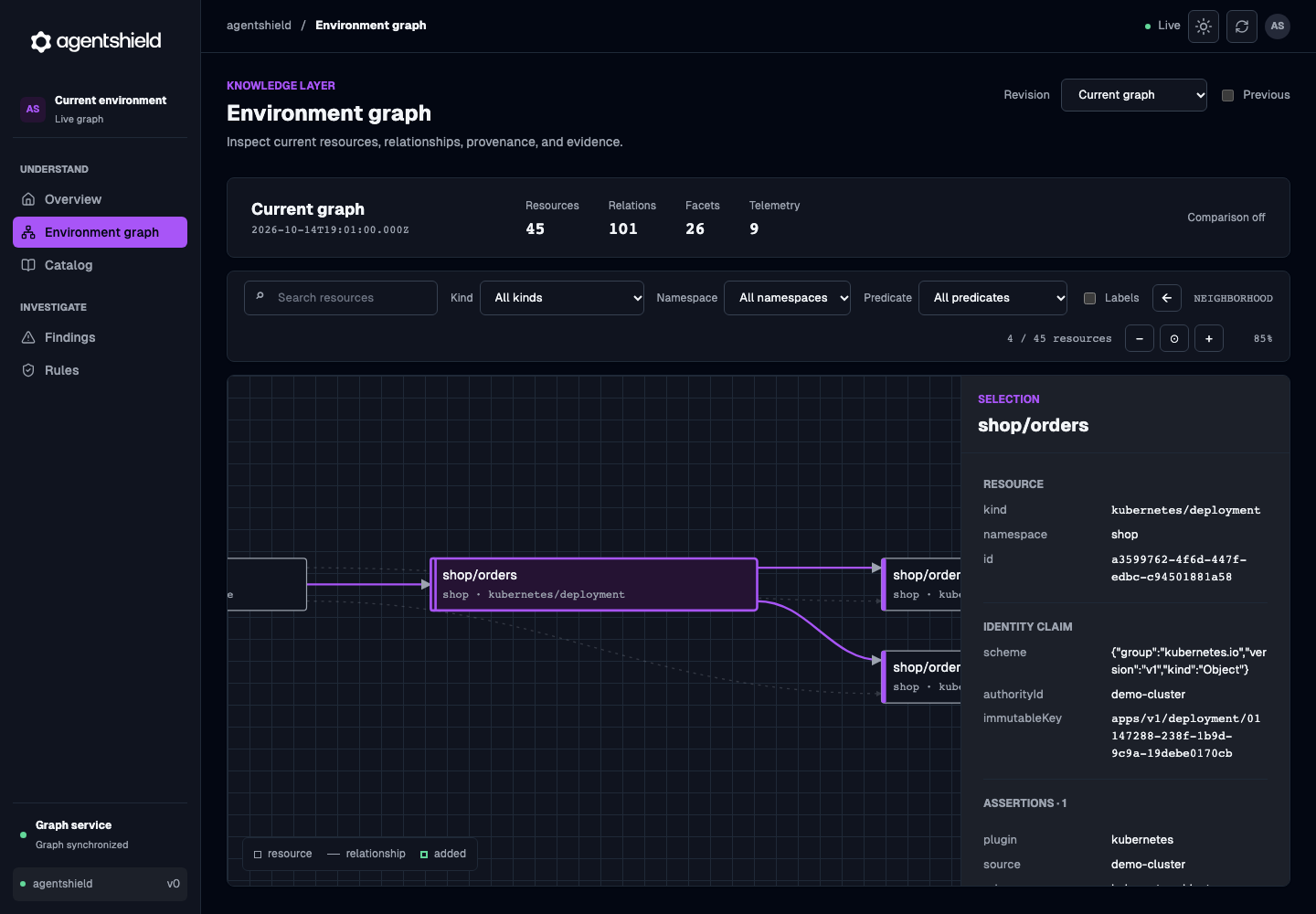
The graph view, shown with Storybook demo data.
You can also query the API:
curl -s http://127.0.0.1:8088/readyz -o /dev/null -w '%{http_code}\n'   # 204 once PostgreSQL is reachable
curl -s http://127.0.0.1:8088/api/v1/overview                         # 503 until discovery first publishes
Create or change something (for example kubectl create deployment web --image=nginx) and watch the graph update.
Enable detection
Follow Enable reasoning to configure the model endpoint, turn on investigation or rule authoring, and bound model spend. On a plain kind cluster without a mesh or traffic telemetry, reasoning will mostly see inventory changes. Evals sets up the policies and traffic that produce meaningful findings.
Options
--kubernetes-cluster-idshould be a stable name for the cluster. It is part of resource identities, so pick it once.make runuses the default,local.- To target a specific kubeconfig:
go run ./cmd/agentshield --kubernetes-kubeconfig /path/to/kubeconfig --kubernetes-cluster-id my-cluster --kubernetes-source-id kubernetes/my-cluster. - To view what is already stored without running discovery:
make graph-ui. - AWS: see AWS configuration.
- Every flag: Configuration.
Clean up
make postgres-down                         # stops PostgreSQL; data stays in a Docker volume
kind delete cluster --name agentshield-demo
Next steps
- What AgentShield does: the problem and the pipeline.
- Data model: identities, assertions, contributions.
- Plugins: add a provider.